
The right product for every concern found.
Set up once per product — map it to the skin concerns it solves. Face Age matches each shopper's top concerns to your catalog and surfaces the exact SKUs that address what the scan found.






The product for what they just saw
Right after the scan, shoppers see products from your catalog matched to the concerns on their face. Each card says which concerns it treats, so the reason to buy is right there.
You map products to concerns once in the app — by hand or with AI — and every scan is matched automatically.
- 01
Matched to their concerns
Every product is tied to the concerns it treats, so results are specific.
- 02
Filter by concern
Tabs for each concern let shoppers narrow the list — and clear it again.
- 03
Straight to cart
Add one product, add all to cart, or go to checkout without leaving the result.
Your catalog, sorted by their skin
The Products tab lists what fits this shopper, filtered by the concerns their scan found. Concern tabs across the top narrow it down to one problem at a time.
- Concern tabs with “Remove filters”
- Add to cart, Add again, Add all to cart and Checkout
- A clear empty state when nothing matches
Cards that look like your store
Choose one of three card presets and decide what each card shows — price, the concerns it treats, the routine step it belongs to, a description. The same cards appear in the PDF report.
- Genesis, Apex and Prime card presets
- Toggle price, concerns, routine and description
- Border, shadow, padding, image ratio and button color
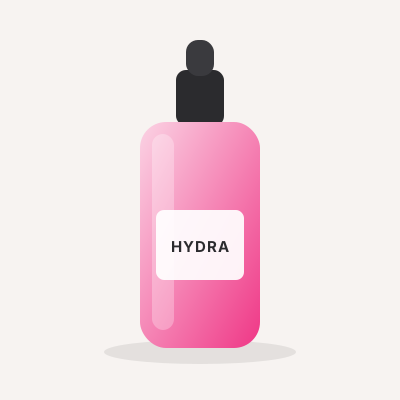 SerumHydra SerumDrynessFine Wrinkles$34
Recommendations, out of the box
Concern matching
Products mapped to the concerns they treat.
Manual or AI mapping
Link products to concerns yourself or let AI do it.
Concern filters
One tab per concern, plus “All Products”.
Add all to cart
The whole recommendation in one tap, then checkout.
Three card presets
Genesis, Apex or Prime, styled to your store.
In the PDF too
The same products appear in the downloadable report.
Onboarding was fast and training the model on our catalog was easy even with hundreds of SKUs. The recommendations are accurate and it's become a practical, scalable part of our storefront.

Recommendations, answered
Your own Shopify catalog. You choose which products appear and which concerns each one treats.
No. You can link products to concerns manually or use AI to suggest the links, then adjust them.
Yes. Each card has Add to cart, there's Add all to cart for the full list, and a Checkout button.
Yes — pick a preset and set what's shown (price, concerns, routine step, description) plus border, shadow, padding, image ratio and button color.
Works even better together
Merchandising
Ready to add this to your store?
Add it to your site in minutes — with the SDK, a plugin or the Shopify app — or let the team build the whole system for you in 14 days.