Skin profiles come from cosmetic photo analysis used for product recommendations. Not a medical diagnosis; does not replace a dermatologist. The retention rules below are about merchant-side data handling in the app, not medical records.
Key terms
- Cancel my plan / unsubscribe: stop the paid Face Age subscription while the app remains installed.
- Uninstall: remove Face Age from the Shopify store, which triggers permanent data deletion.
- Cancel-Plan Safeguard: confirmation UI that shows what you keep by cancelling instead of uninstalling.
- Customer skin profiles: stored analysis-related profiles tied to the store.
- Connected products: catalog items linked to skin concerns inside Face Age.
The short rule support teams should memorize
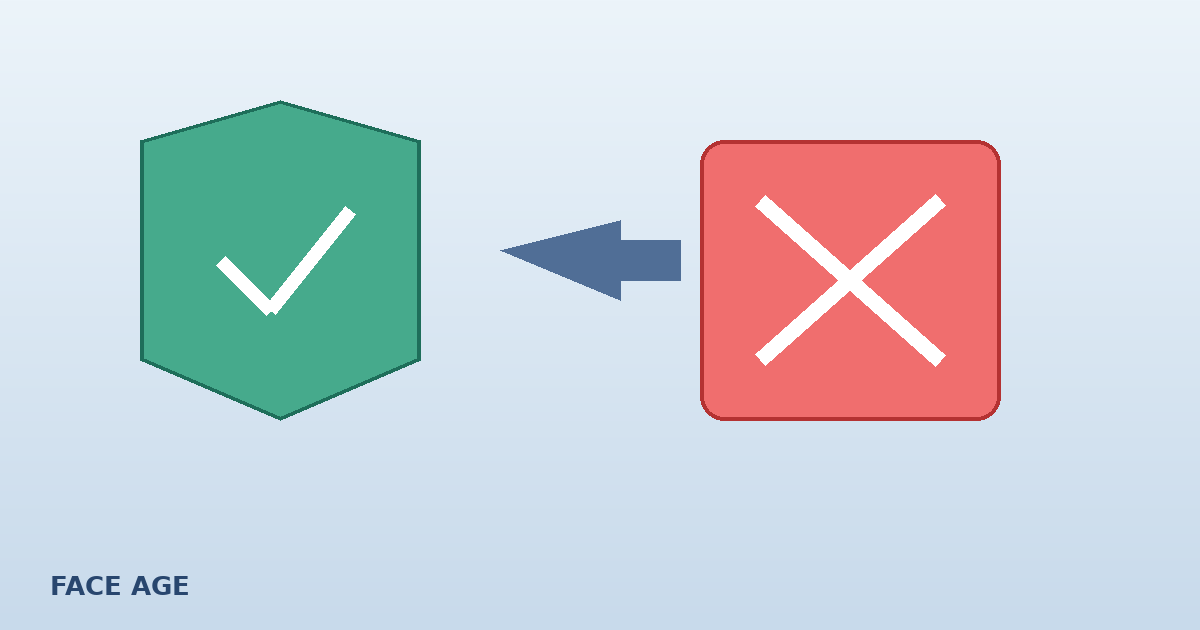
Cancelling is safe; your data stays intact. It is only permanently deleted if you uninstall the app.
That sentence is the same reassurance the product shows in the confirmation. If a teammate is unsure, start there before anyone clicks Uninstall in Shopify.
What Cancel-Plan Safeguard shows
When a merchant chooses Cancel my plan, Face Age asks: "Are you sure you want to unsubscribe?" The confirmation surfaces store-specific figures, including:
| Card | What it means |
|---|---|
| Customer skin profiles | How many skin profiles are stored for the store |
| Connected products | How many products are linked to skin concerns |
| Estimated revenue at risk | The revenue estimate tied to this data, in the store's own numbers |
| Deleted after uninstall | Reminder that uninstall deletes data within 48 hours |
You then get two clear choices: go back and keep the plan, or confirm unsubscribe. Cancelling does not wipe profiles, product connections or the analysis archive you already saved.
Cancel vs uninstall side by side
| Action | App remains installed? | Skin scan / profile data | Product concern connections | Typical reason |
|---|---|---|---|---|
| Cancel plan | Yes | Kept | Kept | Pause spend, seasonal break, plan change later |
| Uninstall app | No | Permanently deleted within 48 hours | Removed with the app data | Leaving Face Age entirely |
If you only need a cheaper tier later, cancel or change plan rather than ripping the app out. Plan options (Start $59, Plus $129, Growth $249, Scale $499) are on pricing. Feature differences such as history and PDF reports starting at Plus are summarized in choosing a Face Age plan.
Why merchants confuse the two
Shopify Admin makes uninstall feel like a single clean break. For Face Age, uninstall is the destructive action. Cancel is the reversible billing action. Teams sometimes uninstall because they want to stop invoices, then discover the quiz, connected products and scan history need a full rebuild.
Cancel-Plan Safeguard was added so the confirmation names the stakes in your numbers, not generic copy. You see how many profiles and connected products sit behind the button before you confirm unsubscribe.
What data are we talking about?
Depending on your settings, a store may hold:
- Analysis results and related skin profiles
- Quiz answers collected in the flow
- Product-to-concern connections
- Optional full archive when Save analysis data is on under Shopify Customers (photos, quiz answers, routine, recommendations)
- History modes (browser, server API, or both) on Plus and above
Browser-only history lives on the shopper device and behaves differently from server-side archives. For storage modes, see skin analysis history on Shopify. Privacy policy expectations for AI skin analysis are covered in AI skin analysis privacy.
None of that turns the scan into a medical file. It remains shopping guidance. Not a medical diagnosis; does not replace a dermatologist.
Practical playbooks
You want to stop billing but keep the setup
- Open Face Age in Shopify Admin.
- Choose Cancel my plan.
- Read the safeguard summary.
- Confirm unsubscribe only if the numbers match what you expect.
- Leave the app installed so profiles and product connections remain.
You are leaving Face Age for good
- Export anything you need for your own records first (customer lists from Shopify, product mappings you want to keep offline).
- Understand that uninstall starts permanent deletion, completed within 48 hours.
- Uninstall only when you accept that rebuild cost.
You cancelled by mistake
If the app is still installed, resubscribe and continue. Your safeguard confirmation existed specifically so cancel would not equal wipe. If you already uninstalled, assume deletion proceeds on that schedule and contact support only for account questions, not to undo a completed wipe.
How this ties to everyday features
Merchants often cancel when they underused Plus features. Before you unsubscribe, check whether you actually turned on:
- Analysis history and before/after comparison
- Branded PDF reports
- Routine generator
- Klaviyo or Mailchimp results flows
Those are Plus and above. Sometimes the fix is finishing setup, not deleting the app. A calm pass through features and your Integrations tab is cheaper than rebuilding product connections later.
FAQ
If I cancel my Face Age plan, do I lose skin scan data? No. Cancelling keeps your data intact. Face Age only permanently deletes store skin analysis data if you uninstall the app.
What happens to data after I uninstall Face Age? Uninstalling permanently deletes the data, and that deletion completes within 48 hours of the uninstall.
What is Cancel-Plan Safeguard? When you choose Cancel my plan, Face Age asks you to confirm and shows counts for customer skin profiles, connected products and estimated revenue at risk, plus the reminder that uninstall is what deletes data.
Can I resubscribe later without starting from zero? If you cancelled the plan but left the app installed, your stored data remains. If you uninstalled, treat the data as gone after the deletion window.
Where do merchants cancel? From the Face Age app in Shopify Admin using Cancel my plan. Read the confirmation carefully so you do not confuse cancel with uninstall.