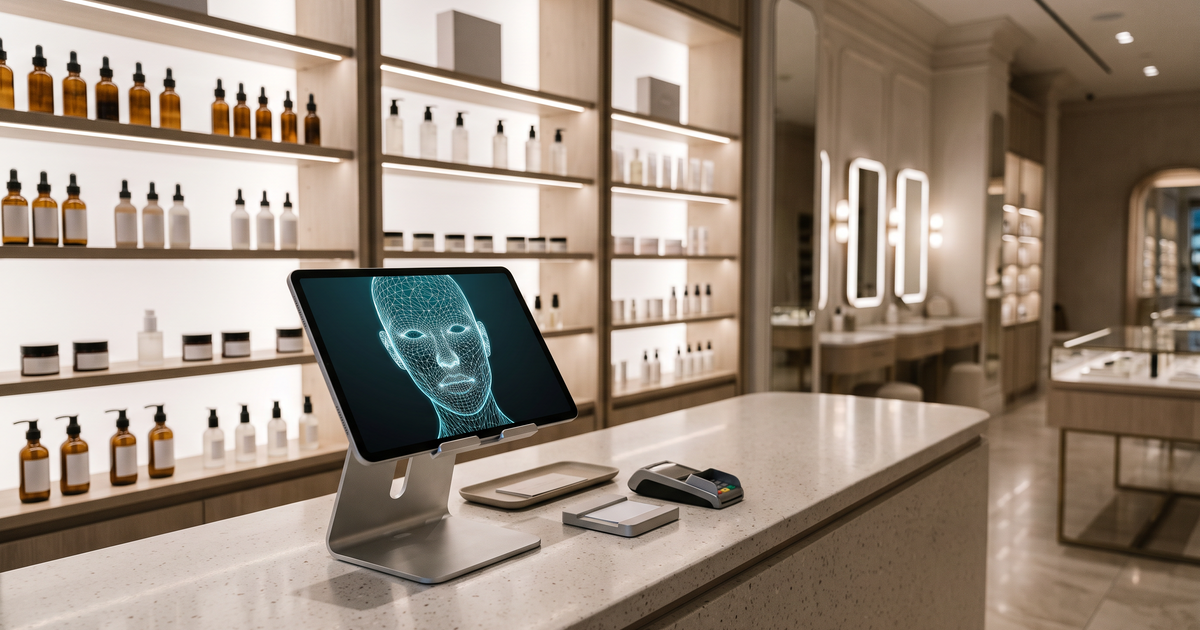
Dedicated devices still have their place. Countertop imaging units, handheld skin cameras and smart mirrors give a controlled photo and a bit of theatre at the counter. But for a shop that also sells online, they create a split: the in-store reading lives on one machine, and the website has nothing.
Key terms
- Skin analysis device: dedicated hardware (countertop unit, handheld camera or smart mirror) that captures and analyzes a face in a fixed location.
- Online skin scan: analysis that runs in a web browser, using the device camera or an uploaded photo.
- Section: Face Age's on-page block. You place the scan on a page of your choosing, such as a dedicated scan page for the shop.
- Modal: a floating button that opens the scan in a popup on any page.
- Analysis history: saved earlier scans. Storage can be Browser only, Server API or Both (Plus and above).
Device or online scan: how do they compare?
| Dedicated device | Online skin scan (Face Age) | |
|---|---|---|
| Where it works | At the counter where it's installed | Any phone, tablet or computer with a browser |
| Photo conditions | Controlled lighting and position | Depends on the shopper's light and camera; Image Suitability Check flags poor photos |
| Staff needed | Usually a trained staff member runs it | Shoppers can run it alone; staff can guide |
| Products suggested | Depends on the device's software | Your own catalog, matched by concern, severity and quiz answers |
| Result after the visit | Often printed or stays on the device | Available on the site; PDF report and history on Plus and above |
| Online store | Separate tool needed | Same scan on the website |
Neither column is better for every shop. A device gives a more consistent photo. An online scan gives you one setup that works on the counter, on the shelf and at home.
How to run an online scan in a physical shop
1. Give the scan its own page
In Shopify Admin, go to Apps > Face Age > Publish and add the Section block to a dedicated page, say /pages/skin-scan. A single page is easier to bookmark on a tablet and to put behind a QR code than a popup on a product page. The placement guide explains Modal versus Section if you want both.
2. Decide: store tablet, QR code, or both
A store tablet on a stand works well when staff guide the scan. It feels like a consultation and lets you control the light.
A QR code on shelf cards and at the till sends shoppers to the same page on their own phone. Many shoppers prefer it. They can take their time, finish at home if they want, and the results are already on their phone when they walk past the shelf.
I'd do both. The tablet for people who want help, the QR code for people who'd rather browse alone.
3. Sort out history on a shared tablet
This is the detail most shops miss. If analysis history is on and set to Browser only, scans are saved in that browser. On a shared tablet, the next shopper could see "Previous analyses found" from someone else.
Options: - Clear site data or use a private browsing window between shoppers. - Use Server API storage, where history is tied to a logged-in customer or email, not the tablet. - Or send everyone through the QR code so each shopper uses their own phone.
Our post on browser vs server history storage covers the settings.
4. Fix the light at the counter
The biggest advantage of a device is a consistent photo. You can get most of that with a tablet stand placed facing a window or a soft front light, away from overhead spotlights that throw shadows under the eyes. Keep the Image Suitability Check on so a poor photo prompts a retake.
5. Brief the staff
Staff don't need to explain the AI. They need three lines:
- "It reads what's visible in one photo and suggests products from our range."
- "It's not a medical check." (And mean it. Anyone asking about a mole or a rash should be pointed to a doctor.)
- "Your photo is handled as our privacy policy describes." Know where that policy is.
Then let the result do the work. Staff can walk the shelf with the shopper and pick up the matched products.
6. Give the result a way home
On Plus and above, the shopper can download a branded PDF report from the result screen. If your quiz includes an Email element and you've connected Klaviyo or Mailchimp, the results email goes out too. That's the bit a fixed device usually can't do: the shopper leaves with the same list they'll see when they open your site later.
When a dedicated device still makes sense
Be honest with yourself about why you want the device. If it's for a premium counter experience in a flagship, with trained staff and appointments, hardware may still fit. If the goal is to help more shoppers pick products and keep that going online, an online scan covers more ground with less setup.
A quick way to decide: count how many shoppers a device could reasonably serve in a day at one counter, then look at how many people visit your product pages online in the same day. If most of your customers never stand at that counter, the hardware only reaches a small part of them.
Some retailers do both: a device for booked sessions, and the online scan for walk-ins and the website. That's fine too, as long as the product suggestions don't contradict each other.
What about smart mirrors?
Smart mirrors get searched a lot, and they look great in a store. Functionally, most combine a camera, a screen and analysis software in one fixture. If you're comparing one with an online scan, ask the same questions you'd ask any tool: where the products come from, whether results carry online, what happens to the photo, and who updates the product list when your range changes. Our checklist for AI skin analysis demos works for hardware demos too.
What it costs
Face Age's Shopify plans are Start $59, Plus $129, Growth $249 and Scale $499 a month, with a 7-day trial. The scan, quiz and product matching are on every plan; history, PDF reports and email integrations start on Plus. See pricing. Face Age is based in Dubai and works with stores in many countries, with results shown in the store's language.
FAQ
What is an alternative to a skin analysis device for a beauty store? A browser-based skin scan on your website, used in the shop on a tablet or via QR code, and at home on the shopper's phone.
Does an online skin scan need special hardware? No. A standard tablet or the shopper's phone is enough.
Is it safe to run the scan on a shared store tablet? Plan for history storage. Clear browsing data between shoppers, use Server API storage, or route people through a QR code.
Is an online scan a medical assessment? No. Not a medical diagnosis; does not replace a dermatologist.
What does Face Age cost? Start $59, Plus $129, Growth $249 and Scale $499 a month, with a 7-day trial.