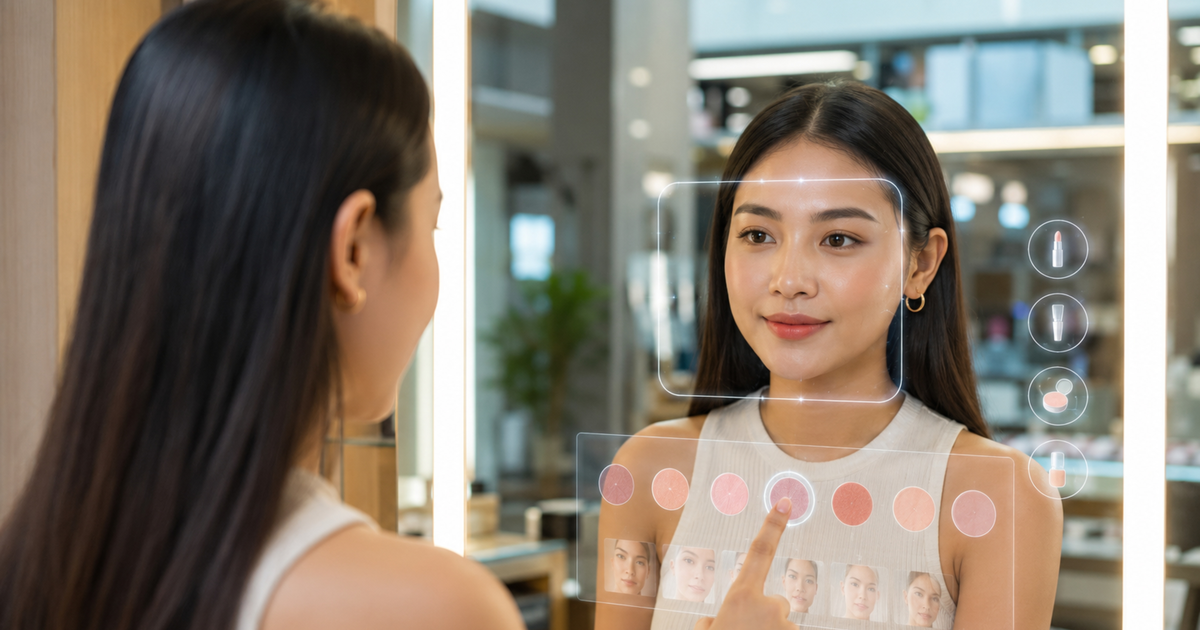
Virtual skincare simulations show shoppers how their skin might look, while a skin scan reads how it looks now. In product discovery, simulations work best as a clearly labelled inspiration step, and a scan works best for choosing products. Face Age doesn't simulate. It analyzes the current photo and matches your own catalog, so many retailers pair a scan with modest, honest visuals rather than a simulated "after."
That's the short answer. The longer one depends on what you sell, how careful you want to be with claims, and how much your shoppers already trust your brand.
Simulation vs analysis: two different jobs
It's easy to blur these, because both start with a selfie.
A simulation is generated. The tool takes a photo and produces a new image: smoother texture, fewer visible lines, a more even tone. It's a prediction or an illustration. Nothing about the shopper's real skin has been measured in the "after" image.
An analysis is read. The tool looks at the photo and reports what's visible now, concern by concern. Face Age reads 13 skin concerns across 250+ attributes and gives a Skin Age estimate. Not a medical diagnosis; does not replace a dermatologist. More on what's covered on the AI skin analysis feature page.
A comparison is two real readings. On Plus and above, Face Age can put an earlier scan next to a current one, with each concern marked Improved, Regressed or Stable. That's the closest thing to a before-and-after, and both images are real.
We looked at one vendor's take on the first category in Haut.AI SkinGPT vs Face Age: skin simulation or skin analysis. This post is about the retailer's side: where any simulation belongs in the shopping journey.
Where virtual skincare simulations help in product discovery
There are real, sensible uses.
- Inspiration on a category page. A clearly labelled "see what an even-tone routine aims for" visual can make a brightening range easier to understand than a wall of bottles.
- Explaining a goal, not a result. After a scan, showing what a routine is aiming at can motivate a shopper who's been putting off a routine for months.
- Makeup and colour. For lipstick, blush or foundation shade, a virtual try-on is closer to the real thing, because the product sits on top of the skin. That's a different job from skincare, and we cover it in virtual try-on vs AI skin analysis.
Where they cause problems
Skincare is slow and personal. A simulation that shows a dramatic change in a few seconds sets an expectation no serum can meet in four weeks.
The trouble spots I'd watch:
- Product-specific "afters." "Here's you after our retinol" reads as a promise, whatever the small print says.
- Unlabelled images. If the shopper can't tell the simulated image apart from their real photo, you've got a trust problem waiting to happen.
- Stacking it on the product page. A simulation right next to the add-to-cart button pushes it from inspiration into a claim.
- Evidence questions. If you use a vendor's simulation, ask what it's based on and what it isn't meant to show. Our checklist for what evidence to ask an AI skin analysis vendor for applies just as well to simulation tools.
Three ways to build the discovery journey
| Approach | What the shopper sees | Strength | Watch out for |
|---|---|---|---|
| Simulation first | A generated "after" image, then products | Strong emotional pull | Expectation gap, claim risk |
| Scan first | A reading of current skin, then matched products | Grounded in the shopper's real photo | Less dramatic; needs good product mapping |
| Scan, then real comparison later | Today's reading now, a second real reading in a few weeks | Real progress, a reason to return | Needs history turned on and a returning shopper |
Most skincare stores I'd steer toward the second and third rows, then add a labelled inspiration visual if the brand wants one.
How to set up a scan-led discovery flow on Shopify
If you're using Face Age, here's a practical setup that gives shoppers something visual without simulating results:
- Place the scan where discovery happens. Publish the core extension as a floating Modal button across the store, or a Section block on a "find your routine" page.
- Map products to concerns and severity. Start with the products shoppers ask about most. The matches are only as good as the mapping.
- Add Product Insight to product pages. It explains why a product matches the shopper's last scan, which answers "is this for me?" right where they decide. See Product Insight on Shopify.
- Add the Customer Recommended Products carousel so matches follow the shopper around the store.
- Use the routine as the visual. On Plus and above, AM and PM routines show the steps from your catalog, which is concrete in a way a simulated face isn't.
- Turn on history and comparison so a shopper can come back in a few weeks and see two real scans side by side. The compare feature page shows the tab.
- If you add any simulated image from another tool, label it. "Illustration of a routine goal, not a predicted result" is clunky but honest. Shoppers respect it.
Copy that keeps you on the right side of the line
A few examples you can adapt:
- "Your scan shows texture and dryness as your top concerns today. Here's a routine built for those."
- "Come back in four weeks and compare your scans."
- "This image is an illustration, not a prediction of your results."
And a few to avoid: "See your skin after 30 days," "guaranteed glow," or any percentage of improvement.
Questions to ask before you add a simulation tool
If you're still keen on a simulation, ask the vendor these before anything goes live:
- What is the "after" image based on? A general model of ageing, a product's own claims, or nothing specific?
- Can we label the image on screen, and can we change that label?
- Can we turn off product-specific "afters" and show a routine goal instead?
- Is the shopper's photo stored to make the simulation, and for how long?
- How does it look on different skin tones and in poor light? Ask to test it on your own team's photos.
- Can it sit next to a real scan, or does it replace it?
If the answers are vague, that tells you something. A simulation that can't be labelled or explained is a liability on a skincare store, however good it looks in the demo.
Choosing tools for this part of the journey
If a simulation is a must-have for your brand, choose a vendor that supports clear labelling and doesn't push product-specific "afters." If your goal is to help shoppers pick the right products today and come back later, a scan with good matching and real comparisons does more of the heavy lifting. For a broad look at the tools in this market, start with our 2026 comparison of AI skin analysis tools for ecommerce.
FAQ
What is a virtual skincare simulation? A generated image showing how skin might look. It's an illustration of a possible outcome, not a measurement.
How do retailers use skincare simulations in product discovery? As a labelled inspiration step or to visualize a routine's goal, ideally not tied to a single product promise.
Does Face Age offer skincare simulations? No. Face Age analyzes the current photo, matches your catalog and, on Plus and above, compares real scans over time.
What's the risk with before-and-after simulations? They can read as a promise. Clear labels and modest framing reduce the risk.
Is a skin scan a medical assessment? No. Not a medical diagnosis; does not replace a dermatologist.