Winter skincare recommendations work best when they start from a fresh look at the skin, not from whatever the shopper bought in July. On an online store, the simplest way to get that is a rescan: ask returning shoppers to take a new skin scan when the weather turns, then let the updated concerns drive richer textures and gentler picks. Face Age handles the scan and matching on any plan, and adds history and before-and-after comparison on Plus and above.
Most stores already know their customers' routines go stale around November. The serum and gel moisturizer that worked in August start to feel thin, and customers buy a heavier cream somewhere else because nobody prompted them to look again. That's a merchandising problem more than a skin problem, and it's fixable.
Key terms
- Rescan: a second or later skin scan by the same shopper, used to refresh their recommendations.
- Analysis History: Face Age's setting that saves past scans so returning shoppers can see them (Plus and above).
- Compare tab: the result view that sets two scans side by side and labels each concern Improved, Regressed or Stable.
- Texture tier: a light, medium and rich version of the same product type, so matching rules can pick between them.
The AI skin analysis reads visible skin from a photo to guide shopping. Not a medical diagnosis; does not replace a dermatologist.
Why do winter skincare recommendations need a fresh scan?
Because the old result describes old skin. A scan from the summer may show oiliness and enlarged pores as the top concerns. The same face in December, after weeks of cold wind outside and dry heated air inside, may read higher on dryness and redness instead. If your store keeps showing the summer list, it's recommending for someone who isn't there anymore.
There's a second reason. Shoppers trust recommendations more when they can see why they changed. "Your dryness reads higher than in August, so here's a richer moisturizer" is a far easier sell than "try our winter collection". It's specific, and it came from their own photo.
I'd be careful not to promise too much, though. A rescan shows how skin looks today under today's light. It doesn't prove that a product worked, and lighting differences between two photos can move a reading on their own. Read a single comparison as a prompt to look again, not as a verdict.
What tends to change in winter, and what to map
You don't need to guess at a customer's skin. The scan does that part. What you need is a product range that can respond when the readings move. Here's a starting map for the concerns that most often shift as the weather gets colder.
| Concern that often reads higher | Product types to link | Matching note |
|---|---|---|
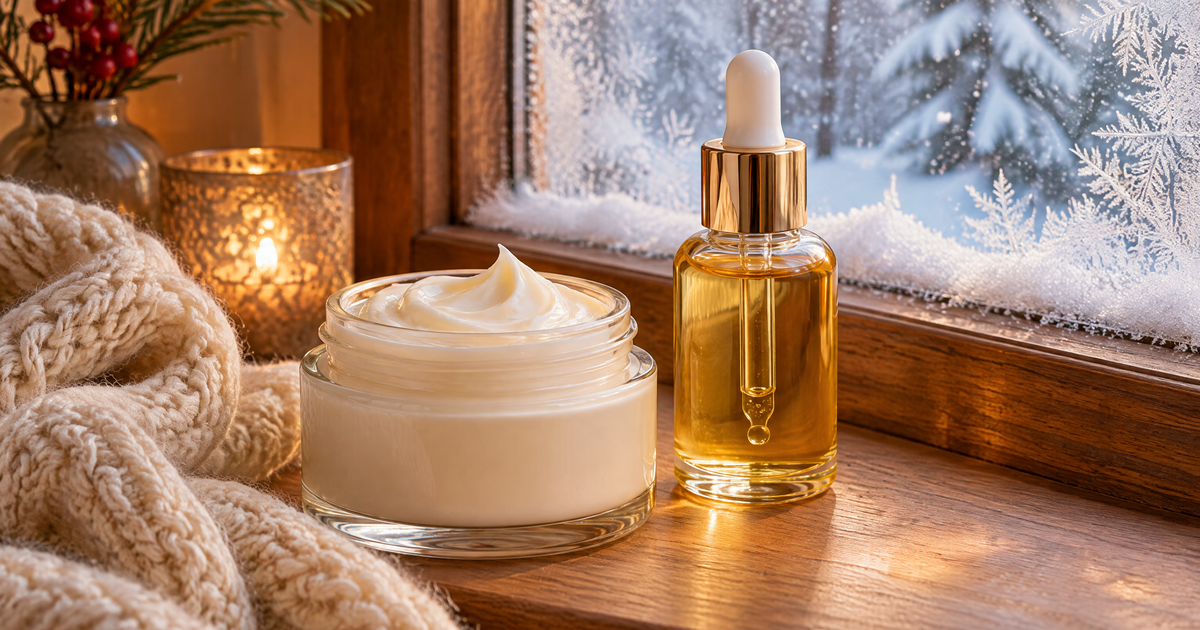
| Dryness | Rich creams, balms, facial oils, hydrating serums | Link rich textures at medium and high levels; keep gels on low |
| Redness | Fragrance-free creams, barrier-focused moisturizers | Exclude strong acids and retinoids when a quiz answer says skin stings |
| Fine lines (more visible on dry skin) | Hydrating serums, night creams | Pair with dryness rather than linking on its own |
| Dullness | Gentle exfoliants, hydrating toners | Lower the exfoliant priority if redness also reads high |
These are generic product types, not advice for any one brand. Adjust to what you actually stock. If you've never set up severity-based matching, our post on mapping serums and moisturizers to scan results walks through the settings.
The most useful single change is texture tiering. If your only moisturizer is a lightweight lotion, a higher dryness reading has nowhere to go. Most stores already carry a gel, a lotion and a cream; they just haven't linked them to different severity levels.
How to set it up in Face Age
Everything below lives in Shopify Admin > Apps > Face Age.
- Turn on Analysis History. In Customization > Basic, enable analysis history and choose a storage mode. Browser only keeps scans on the shopper's device. Server API needs a logged-in customer or an email. Both uses the server and falls back to the browser. For seasonal rescans across devices, Server API or Both is the better fit. History is on Plus and above; the browser vs server storage guide explains the trade-offs.
- Set up comparison. From the Dashboard, open What's new and choose Set Up Comparison. Returning shoppers then get a Compare tab next to Skin Report, Routine and Products, where they pick an earlier scan and see each concern tagged Improved, Regressed or Stable.
- Review your product connections. In Connect Products, check that rich creams and balms are linked to dryness at medium and high levels, and that lighter textures sit at low. Use exclusions for sensitivity answers.
- Add a climate or season question if you need it. A photo can't see the weather. One quiz question ("Is the air where you live mostly dry, humid, or cold in winter?") lets you include or exclude by climate. We covered the setup in skincare recommendations based on skin and climate.
- Test it on yourself. Scan once, change one product connection, scan again and check the result page and Compare tab on your phone.
Getting shoppers back for a winter rescan
A rescan only happens if someone asks. The two places that work are email and the store itself.
Email. If you've connected Klaviyo or Mailchimp (Plus and above) and collect emails in the quiz, you already have a list of people who scanned. Send them one plain message when the season turns: their last scan date, a line about why skin often reads differently in colder months, and a single button back to the scan. Don't attach a discount to every rescan; it trains people to wait for codes. Our Klaviyo segmentation guide covers the event and tags you'd use.
On site. Returning customers with history on see "Previous analyses found" when they open the scanner. Add the Encouragement Banner block from the Publish page with copy like "Weather changed? Rescan and update your routine." The Customer analysis history block lets logged-in shoppers find their old results without hunting.
After purchase. A short note in the order confirmation for a winter cream ("rescan in four to six weeks to see how your dryness reads") sets up the next visit. Keep it honest: the rescan shows how skin looks, not whether the cream caused it.
Mistakes I'd avoid
- Swapping the whole catalog for a "winter edit". Shoppers in mild climates still need light textures. Let the scan and the climate answer decide, not the calendar.
- Linking every rich product to every concern. You'll get the same five creams for everyone, which defeats the point of a scan.
- Reading one comparison as proof. Different light, a different phone or a different distance can change a reading. Ask shoppers to scan in similar conditions: facing a window, no filter, hair off the face.
- Forgetting the PDF. On Plus and above, shoppers can download a branded report. A winter report with their updated routine is something people actually keep.
If you're building a wider plan for people who come back, the returning-shopper playbook ties history, comparison, PDF and email together. Plans and limits are on the pricing page.
FAQ
Should skincare recommendations change in winter?
Often, yes. Skin tends to look drier in cold, heated months, and a fresh scan lets the product list follow what it shows now.
How does a rescan help with seasonal skincare?
It replaces an old result with a current one. With history and comparison on, shoppers also see which concerns look improved, regressed or stable.
Can a skin scan tell the season or the weather?
No. Add one quiz question about climate if it matters for your range.
Which Face Age plan includes history and comparison?
Plus ($129/month) and above. Start covers the analysis, Skin Age and the quiz builder.
Is a winter skin scan a medical check?
No. It's cosmetic shopping guidance. Not a medical diagnosis; does not replace a dermatologist.