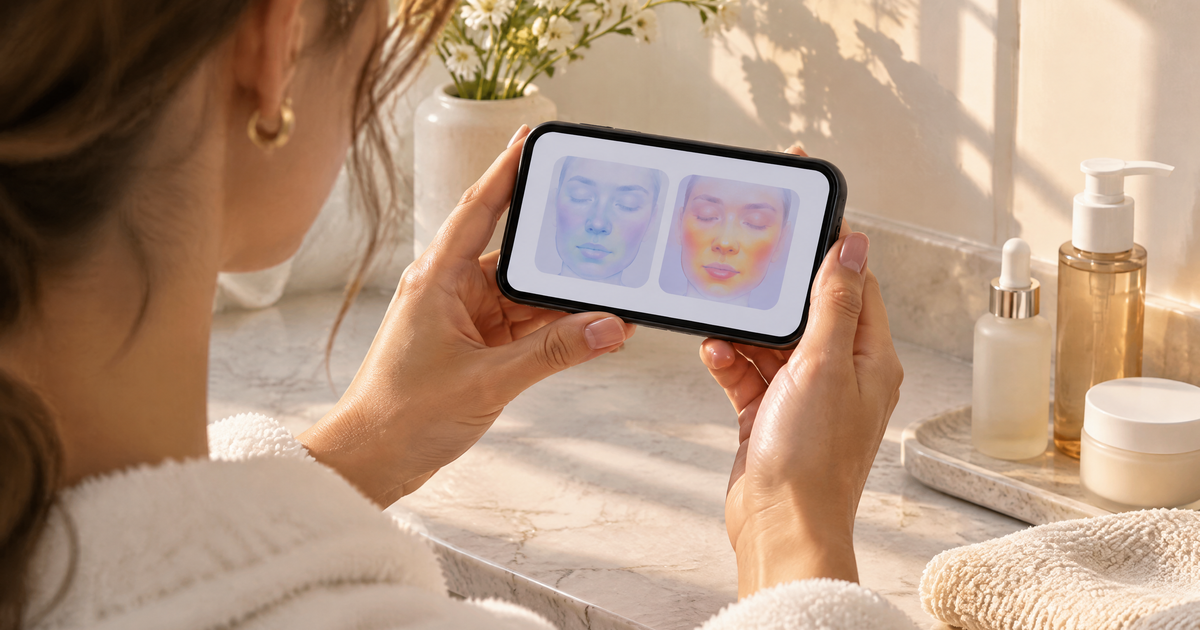
The main skincare photo comparison limitations are conditions, not software: light, camera, distance, angle, makeup and timing change how skin looks more than most people expect. A before-and-after scan can show how visible concerns read in two photos. It can't prove a product caused the change. Face Age's two-scan comparison (Plus and above) is built to be read that way.
If you sell skincare and offer any kind of progress view, this matters for two reasons. Shoppers will compare photos whether you help them or not. And if your store presents those comparisons carelessly, you end up implying results you can't stand behind.
Skincare photo comparison limitations: why two photos of the same skin disagree
I've seen people convinced a serum made their redness worse when the only thing that changed was the bathroom bulb. Here's what usually causes it.
Light. Warm light flatters, cool light shows redness, and harsh overhead light deepens texture and under-eye shadows. Window light at 9 a.m. and 5 p.m. are two different light sources.
Camera and processing. Phones apply their own smoothing and sharpening, and it changes between models and even software updates. Front cameras usually process more than rear cameras.
Distance and angle. A few centimetres closer and pores look bigger. Tilt the head and one cheek catches more light than the other.
Makeup, SPF and fresh products. Tinted sunscreen evens tone. A rich moisturizer applied five minutes ago adds shine. Both change what the scan sees.
Skin's own day-to-day swing. Sleep, heat, a salty dinner, a workout, a cold wind. Visible skin moves around even when nothing in the routine changes.
None of this means comparisons are useless. It means they need consistent conditions and a sensible time gap to say anything.
What a before-and-after scan can actually show
Within those limits, a structured scan comparison is still far more useful than two selfies side by side in a camera roll.
Direction per concern. Instead of "looks better, I think," you get a reading per concern. In Face Age the Compare tab shows a Skin Metrics Diff with each concern marked Improved, Regressed or Stable. We went through how to read those labels in Improved, Regressed, Stable: reading a before-and-after skin comparison.
A nudge to update the routine. If dryness reads as regressed after a cold month, that's a good moment to suggest a richer moisturizer. That's a practical, low-stakes use of the data. See how to update skincare recommendations when a customer's skin changes.
A reason to come back. Shoppers like seeing their own history. A comparison gives them a reason to return to your store rather than a generic beauty app.
What it can't show
Be clear about this in your own copy and with your customer service team:
- It can't prove cause. A concern marked Improved doesn't mean your product did it. The season changed, the shopper slept more, or they stopped picking at a spot.
- It can't read what a photo can't see. Sensitivity, how skin feels, and anything under the surface aren't in a selfie.
- It can't make a reliable call on tiny gaps. Two scans a day apart will mostly show noise.
- It isn't a medical result. Not a medical diagnosis; does not replace a dermatologist. If a shopper is worried about a change, they should see a professional.
Comparison method vs what it's good for
| Method | Good for | Main weakness |
|---|---|---|
| Two selfies in the camera roll | Quick personal check | No consistency, no per-concern reading |
| Brand before-and-after marketing photos | Showing what a product is meant for | Easy to stage; shoppers increasingly distrust them |
| Two-scan comparison on your store | Per-concern direction for one shopper over time | Still depends on light, camera and timing |
| Repeated scans over months (history) | Spotting a steady trend | Needs shoppers to return and scan in similar conditions |
How to set up comparisons so they're worth reading
In Face Age, comparison needs analysis history switched on. Here's the setup:
- Turn on analysis history. In Shopify Admin, go to Apps > Face Age > Customization > Basic, enable analysis history and choose storage: Browser only, Server API (needs a logged-in customer or email) or Both. Our returning-shopper playbook explains which mode fits which store, and the scan history feature page has the overview.
- Set up comparison. From the Dashboard, open What's new > Set Up Comparison. The Compare tab then appears in the analysis result next to Skin Report, Routine and Products.
- Add capture guidance before the camera opens. One line is enough: "Face a window, no makeup, phone at arm's length." Our photo tips for a usable skin scan has wording you can copy.
- Tell shoppers when to come back. "Scan again in four weeks, same spot, same time of day." Put it in the post-scan screen and in the follow-up email.
- Use the summary box carefully. Let the comparison speak for itself. Don't layer "your new serum is working" messaging on top of it.
- Add the customer analysis history block for logged-in shoppers if you use Server API or Both, so they can find past scans on their own.
For acne-focused stores, there's a worked example of this loop in tracking acne with AI: repeat skin scans, history and before-and-after.
How to talk about comparisons without overclaiming
A few lines that work, and a few that don't.
Fine: "Here's how your skin read four weeks ago and today." "Dryness reads as Stable; texture reads as Improved." "Want to update your routine based on this scan?"
Avoid: "Proof your routine works." "Guaranteed results in two weeks." "Your wrinkles reduced by…" Any number that sounds like a promise.
The goal is a shopper who trusts the comparison because it isn't trying to sell them something in that moment. They'll buy the next product more readily for it.
What to tell your customer service team
Sooner or later a shopper will email to say the comparison shows a concern as Regressed and they're upset. Give your team a short script so they don't panic or overpromise.
First, ask about conditions. Was the second photo taken in different light, with makeup, or on a new phone? That explains a lot of surprises. Second, suggest a rescan in the same conditions as the first one before changing anything. Third, if the reading holds, offer to adjust the routine, for example a gentler cleanser or a richer moisturizer, using the products already mapped to that concern. And if the shopper describes something that worries them, like a spot that's changing, point them to a dermatologist. That's not a conversation for a product page.
Keep the tone matter-of-fact. A comparison is a reading, not a verdict.
Where this fits in your store
A comparison feature is a retention tool, not a launch-day tool. It only becomes useful once shoppers have a first scan and a reason to return. If you're early, get the first scan and product matching right, then add history and comparison when you have returning customers. On the Shopify listing, history, comparison and PDF reports start on the Plus plan. The compare feature page shows what the tab looks like.
FAQ
Why do before-and-after photos look different even when skin hasn't changed? Light, camera, distance, angle, makeup and time of day all change how skin looks in a photo.
Can a skin scan comparison prove a product worked? No. It shows how visible concerns read in two scans, not what caused the change.
How does Face Age compare two scans? On Plus and above, with history on, the Compare tab shows a Skin Metrics Diff per concern marked Improved, Regressed or Stable, plus a summary.
How often should shoppers compare scans? Every few weeks. Daily comparisons mostly pick up lighting and camera noise.
Is a scan comparison a medical assessment? No. Not a medical diagnosis; does not replace a dermatologist.